Simple Sprite Sheet Editor
A downloadable tool for Windows
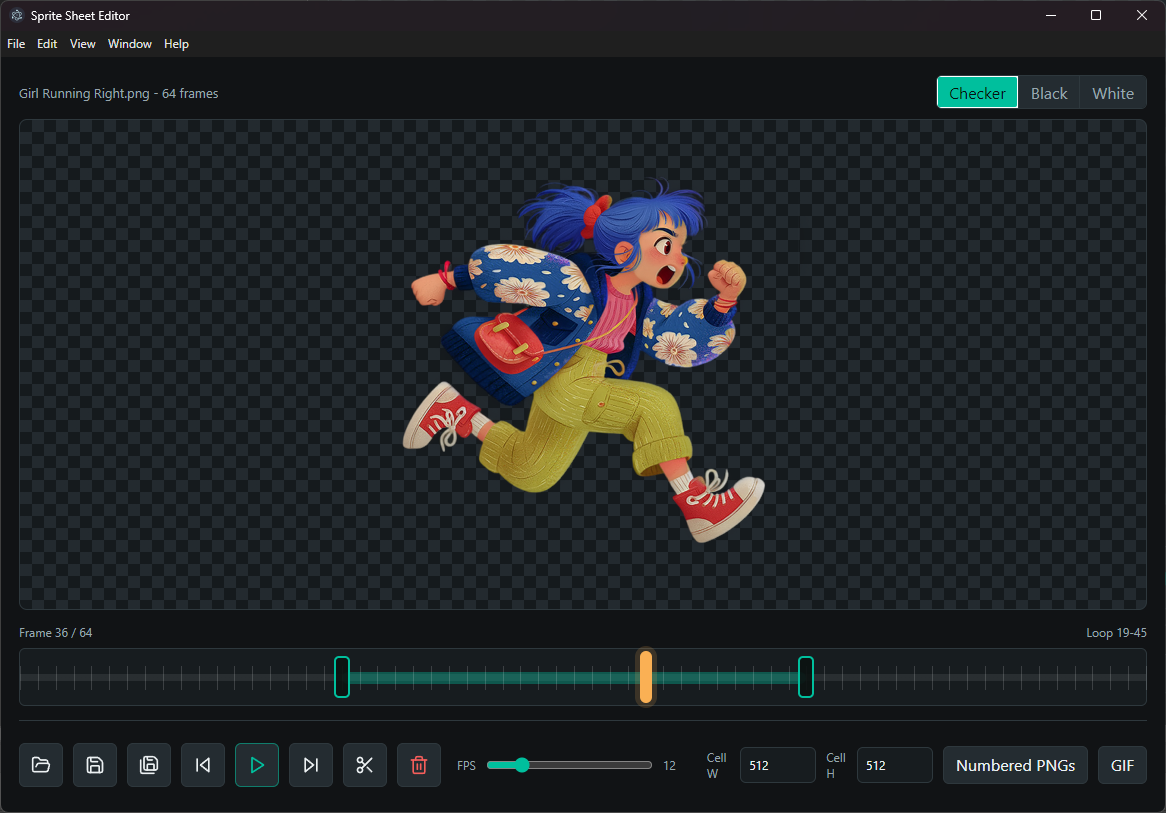
Sprite Sheet Editor is a small Windows tool for previewing, trimming, and saving PNG sprite sheet animations.
Drop a PNG sprite sheet into the app, set the cell width and height, and it immediately plays the sheet as an animation. Drag the timeline handles to choose the loop range, scrub with the playhead, adjust playback speed, then use the scissors button to delete everything outside the selected range.
It can overwrite the original PNG with confirmation, save a new PNG, export numbered frame PNGs, or export the current loop as a GIF. The app remembers your last cell size, and PNGs saved through the app store their cell width and height so they reopen with the right slicing later.
No install required. Just run the portable Windows `.exe`.
Download
Click download now to get access to the following files:
Leave a comment
Log in with itch.io to leave a comment.